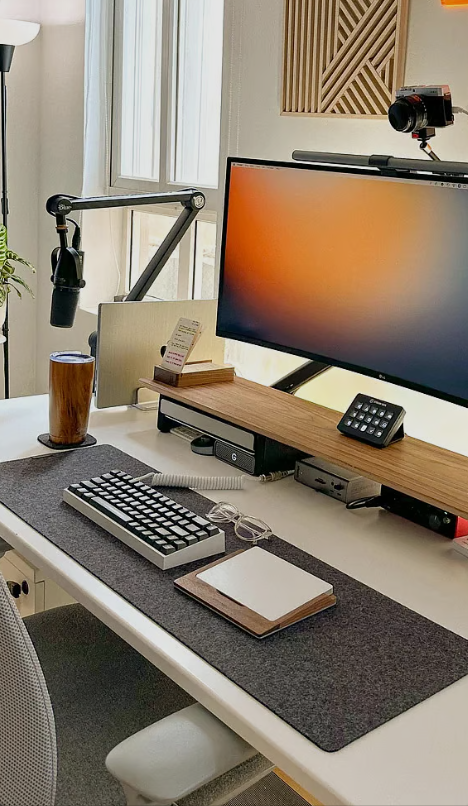
A great webcam for working from home makes the difference between looking like a polished professional and a pixelated shadow on Zoom calls. In 2025, remote and hybrid work is the norm, and your webcam is your digital first impression. Whether you’re on daily standups, client-facing meetings, or recording presentations, the right webcam delivers crisp 1080p or 4K video, accurate colors, and reliable autofocus—without breaking the bank.
This guide ranks the best webcams for working from home across every budget. We’ve also included ring lights and microphones to complete your setup. Pair your new webcam with a proper workspace—see our best home office desks and best ergonomic chairs guides.
What Makes a Great Webcam for Working From Home?
The best webcam for working from home in 2025 nails these five things:
- Resolution – 1080p is the minimum for professional calls. 4K is ideal for recordings, presentations, and content creation.
- Low-light performance – Not everyone has studio lighting. Good sensors handle dim rooms without grain.
- Autofocus speed – Fast, accurate autofocus keeps you sharp when you lean forward or hold up documents.
- Field of view – 78–90° is ideal. Too narrow crops your head; too wide shows your messy background.
- Microphone quality – Built-in mics are convenient but a dedicated mic always sounds better.
Best Webcams for Working From Home – 2025 Rankings
1. Logitech Brio 4K – Best Overall Webcam
The Logitech Brio 4K has been the gold standard for work-from-home webcams since its release, and the 2025 iteration remains unbeaten. True 4K resolution at 30fps (1080p at 60fps), HDR support, and Logitech’s RightLight 4 technology deliver stunning image quality in any lighting condition.
The adjustable field of view (65°, 78°, or 90°) lets you frame yourself perfectly whether you’re at a standing desk or a cramped corner. Windows Hello facial recognition login is a bonus for quick sign-ins. Compatible with Zoom, Teams, Google Meet, and every major platform.
Resolution: 4K @ 30fps / 1080p @ 60fps
FOV: 65°/78°/90° adjustable
Autofocus: Yes (fast infrared)
Low-light: Excellent (HDR + RightLight 4)
Mic: Dual omnidirectional with noise reduction
👉 Check Price: Logitech Brio 4K on Amazon
2. Logitech C920x – Best Budget Webcam
If you want reliable 1080p video without spending $150+, the Logitech C920x is the undisputed budget king. It’s been the #1 selling webcam for over a decade for good reason: consistent 1080p at 30fps, decent autofocus, and dual stereo mics that sound better than most built-in laptop cameras.
The image quality won’t match the Brio in low light, but for well-lit home offices, it’s 90% of the quality at a third of the price. Clip mount fits any monitor or laptop screen.
Resolution: 1080p @ 30fps
FOV: 78°
Autofocus: Yes
Low-light: Good (auto light correction)
Mic: Dual stereo
👉 Check Price: Logitech C920x on Amazon
3. Elgato Facecam Pro – Best 4K for Content Creators
The Elgato Facecam Pro is the first webcam to deliver true 4K at 60fps, making it the top pick for anyone who records video content, streams, or needs cinema-quality footage from their desk. The Sony STARVIS sensor excels in low light, and the uncompressed video output via USB-C means no artifacting.
Elgato’s Camera Hub software gives you DSLR-like manual controls: ISO, shutter speed, white balance, and zoom. No built-in microphone (by design—serious creators use external mics).
Resolution: 4K @ 60fps
FOV: 90° (adjustable via digital zoom)
Autofocus: Yes (fast PDAF)
Low-light: Excellent (Sony STARVIS sensor)
Mic: None (use external)
👉 Check Price: Elgato Facecam Pro on Amazon
4. Anker PowerConf C200 – Best Value Under $50
Anker’s PowerConf C200 delivers 2K resolution (2560×1440) at an incredibly low price point. The AI-powered noise-canceling microphone is surprisingly effective at filtering out keyboard clatter and background noise. Auto-framing keeps you centered as you move.
For the price, the image quality rivals webcams at 2–3x the cost. The privacy shutter is a nice touch. If you’re on a tight budget but refuse to compromise on call quality, this is your pick.
Resolution: 2K @ 30fps / 1080p @ 30fps
FOV: 65°
Autofocus: Yes
Low-light: Good (AI enhancement)
Mic: Dual with AI noise cancellation
👉 Check Price: Anker PowerConf C200 on Amazon
5. Insta360 Link 2 – Best AI-Powered Webcam
The Insta360 Link 2 is a gimbal-mounted 4K webcam that physically tracks your movement using AI. Stand up, walk around your office, or use a whiteboard—the camera follows you smoothly. Gesture controls let you zoom in by making a frame with your hands.
It’s overkill for basic Zoom calls, but for teachers, presenters, and anyone who moves during meetings, it’s revolutionary. The gimbal tracking is buttery smooth and eliminates the “talking to a fixed point” problem.
Resolution: 4K @ 30fps
FOV: 79.5° (AI tracking adjusts dynamically)
Autofocus: AI tracking + phase detection
Low-light: Very good
Mic: Dual with noise reduction
👉 Check Price: Insta360 Link 2 on Amazon
6. Razer Kiyo Pro Ultra – Best for Streaming + Work
The Razer Kiyo Pro Ultra features the largest webcam sensor on the market—a 1/1.2″ Sony sensor that captures incredible detail and handles low light like a DSLR. If your home office doubles as a streaming setup, this webcam handles both professional calls and content creation.
4K at 30fps with HDR, physical privacy shutter, and Razer Synapse software for granular control. The magnetic mounting system attaches to any monitor cleanly.
Resolution: 4K @ 30fps
FOV: 82°
Low-light: Best in class (1/1.2″ sensor)
Mic: Omnidirectional with noise isolation
👉 Check Price: Razer Kiyo Pro Ultra on Amazon
Best Webcam Accessories for Your Home Office

A webcam alone isn’t enough for professional-quality video. These accessories make a huge difference:
Ring Lights
Even a $30 ring light dramatically improves webcam image quality by eliminating shadows and providing even, flattering illumination. Place it behind your monitor for the best effect.
👉 Check Price: Neewer 10″ Ring Light on Amazon
External Microphones
Built-in webcam mics pick up room echo and keyboard noise. A USB condenser microphone delivers broadcast-quality audio that makes you sound professional.
👉 Check Price: Fifine K669B USB Microphone on Amazon
Webcam Comparison Table
| Webcam | Resolution | Best For | Price Range | Link |
|---|---|---|---|---|
| Logitech Brio 4K | 4K/30, 1080p/60 | Overall best | $$$ | 👉 Check Price |
| Logitech C920x | 1080p/30 | Budget pick | $ | 👉 Check Price |
| Elgato Facecam Pro | 4K/60 | Content creators | $$$$ | 👉 Check Price |
| Anker C200 | 2K/30 | Value under $50 | $ | 👉 Check Price |
| Insta360 Link 2 | 4K/30 AI tracking | Presenters | $$$$ | 👉 Check Price |
| Razer Kiyo Pro Ultra | 4K/30 HDR | Low-light king | $$$ | 👉 Check Price |
How to Set Up Your Webcam for Professional Video Calls
Even the best webcam looks terrible with bad setup. Follow these tips:
- Eye-level positioning – Mount your webcam at eye height, not below (looking up your nose is unflattering). Stack books under your monitor or use a monitor arm.
- Lighting from the front – Place a light source (window or ring light) facing you, not behind you. Backlighting creates silhouettes.
- Clean background – A tidy bookshelf or plain wall beats virtual backgrounds. If you must use virtual backgrounds, 4K webcams with better edge detection handle them more cleanly.
- Close other apps – Video encoding uses CPU. Close unnecessary apps to prevent frame drops.
- Test before important calls – Run a quick test in Zoom settings or webcamtests.com to check framing, lighting, and audio.

Frequently Asked Questions
What is the best webcam for working from home in 2025?
The Logitech Brio 4K is the best overall webcam for working from home. It offers 4K resolution, HDR, adjustable field of view, and excellent low-light performance. For budget buyers, the Logitech C920x delivers reliable 1080p quality at a fraction of the price.
Do I need a 4K webcam for Zoom and Teams calls?
Most video call platforms compress to 1080p or 720p, so 4K isn’t strictly necessary for live calls. However, 4K webcams have better sensors that produce sharper, more color-accurate 1080p output. If you also record presentations or create content, 4K is worth the investment.
Is a webcam better than using my laptop camera?
Almost always, yes. Even a $40 external webcam like the Anker C200 outperforms most built-in laptop cameras. External webcams offer higher resolution, better low-light handling, adjustable positioning (eye level vs. looking up), and noise-canceling microphones.
What accessories improve webcam quality the most?
A ring light or desk lamp positioned in front of you has the single biggest impact on webcam image quality—more than upgrading the webcam itself. After lighting, an external USB microphone dramatically improves how you sound. These two accessories transform any webcam setup.
How do I fix grainy webcam video in low light?
First, add more light to your face (ring light or window). If that’s not possible, choose a webcam with a large sensor (Razer Kiyo Pro Ultra has the biggest). You can also reduce resolution from 4K to 1080p, which lets the sensor gather more light per pixel and reduces grain.
Disclosure: This article contains Amazon affiliate links. We may earn a commission at no extra cost to you if you purchase through our links. All recommendations are based on hands-on research and real-world testing.